software · open source · secrets vault
vaultos
Keep your API keys in one place on your Mac. Give coding agents the access they need, without pasting your keys into chat.
the idea
another project, less setup
Every new project needs the same keys in another .env file. VaultOS keeps your keys organised and lets your agent write the ones you approve into the right project.
How a handoff goes
- MCP
your coding agent
asks to inject API_KEY into example-app
- on your Mac
VaultOS
checks your rules for this agent
- local
your project
API_KEY written to .env.local, ready to build
An illustrated handoff. The tool response contains names and counts, no secret values.
the app
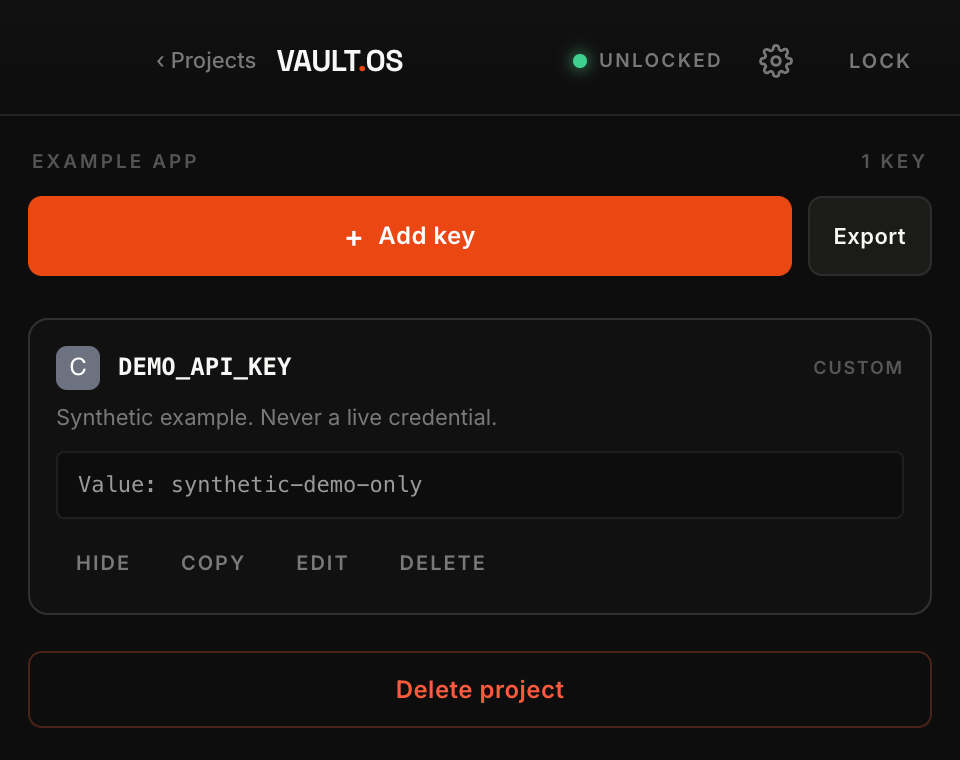
what it looks like
Find a key, check its details and manage agent access from one desktop app.
your rules
give each agent the access it needs
find the key you need.
Group keys by project, search by name or provider, and check expiry dates in one place.
projects · search · expirychoose what each agent can use.
Give each agent its own access. Choose the projects it can use, the folders it can write to, and the actions it can take through VaultOS.
per-agent permissionsskip the copy and paste.
Let your agent write approved keys into an environment file through MCP. Choose dotenv, JSON, or shell format. The tool response reports what was written without including the values.
scoped secret injectionkeep the final say.
An agent needs your permission to edit credentials you own. If it adds a new key, you approve that key before it can write it into a project.
human approvalkeep your vault on your Mac.
Your vault is encrypted and stored locally. There is no account to create, no telemetry, and no automatic cloud upload. You can choose to remember your password in Keychain.
local storage · opt-in keychainback it up.
Make encrypted backups, export a PDF, change your vault password, or review and undo supported changes. Optional encrypted Git sync lets you connect another machine when you need to.
backups · recovery · optional sync
security
what it protects, and what it can't
VaultOS keeps secret values out of injection responses. The files it writes still contain plaintext secrets, and an agent with filesystem access can read them.
Think of it as a way to organise your keys and control how agents use the vault. It cannot isolate an agent from files on your Mac.
from download to first project
three steps to set it up
install the preview.
Download the preview for your Mac. Verify its checksum, open it, and create a vault with a passphrase you’ll remember.
choose the access.
Add a project. Enrol your agent. Choose its permissions and the folders it can write to. Save its token in a private file.
let your agent help.
Give it the setup prompt. It can prepare the MCP bridge and verify a test injection. You handle passwords and approvals.
questions
before you hand over a key
Why use this instead of just an .env file?
An .env file works well for configuring an app. VaultOS helps when you have several projects and want one place to manage their keys. Your agent can write approved keys into the right file, so you do not have to find and paste them each time. That file still contains plaintext secrets.
Can an agent still read my secrets?
Yes, if it has filesystem or shell access to a file containing them. VaultOS keeps values out of the injection tool response, but it cannot stop an agent from reading a file it can already access. Asking VaultOS to reveal a value is a separate permission, turned off by default.
Which coding agents can use it?
You can connect a coding client that supports local MCP servers over stdio. The setup prompt helps your agent follow the right instructions for your client. The MCP bridge needs Node.js 22 or later and a checkout of the repository. The desktop app includes its own runtime.
Is the macOS preview signed and notarized?
No. The current preview is unsigned and has not been notarized by Apple. Download the Apple Silicon or Intel build for your Mac, verify its checksum, and follow the opening instructions on GitHub. Start with test credentials and keep separate backups. VaultOS has not had an independent security audit.
What happens when I lock or close the app?
Lock stops the desktop API and blocks remembered background unlock until a human unlocks again. While the desktop is running, sleep, screen lock, and 15 minutes without a privileged desktop action also lock it. Closing stops its API, but an explicitly enabled background helper can restart a separate backend. That headless backend does not monitor screen lock.
Is it free? Does it require a cloud account?
Yes, it is free and open source under the MIT license. You can use the local vault without a cloud account. Sync is optional and needs a separate Git repository. There is no password reset service, so keep your passphrase and backups somewhere safe.
try it